
ANY CAMERA. REAL INTELLIGENCE.
AI eyes on every camera you already own.
InsightCam watches your existing CCTV, understands what it sees and tells your team what matters, in seconds and in their language.
Building Entrance · CAM 001 · Interactive simulation
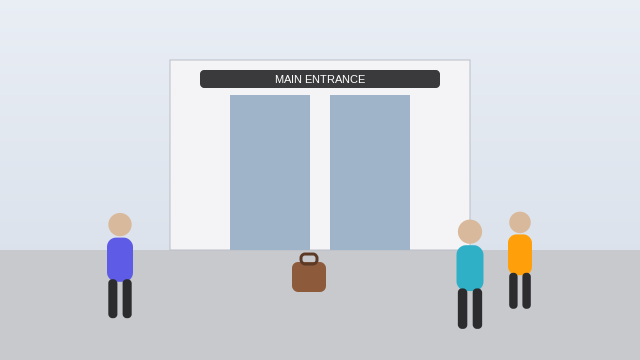
Simulated · All events, confidence scores and object counts are simulated, not live detections.
confidence 96% (illustrative)
*All events, confidence scores and object counts are simulated, not live detections.
Live right now
Real cameras. Real AI. Try it.
Six public cameras around the world, live. Pick one and let InsightCam tell you what is happening right now.
One free AI test per visitor. Sign up to analyse your own cameras.
 LIVENear you
Los Cristianos, Tenerife
Coast at Playa de las Américas
in2thebeach via Windy
 LIVE
Jerusalem
Western Wall Plaza
Western Wall Heritage Foundation via Windy
 LIVE
Tel Aviv
Tupim Beach
BeachCam Israel via Windy
- LIVE
Beroun, Czechia
Main square
Město Beroun live stream on YouTube
- LIVE
Zlín, Czechia
Osvoboditelů street
City of Zlín (zlin.cz) live stream on YouTube
 LIVE
Laguna Beach, California
Pacific Coast Hwy at Thalia St
Caltrans traffic camera via Windy
Public cameras. Real AI analysis of the current view; results are not monitored.
Your cameras can do more than record.
Connect. Understand. Act.
How it works
Connect. Understand. Act.
Connect
Link the cameras and recorders you already own in minutes. No new hardware.
Understand
InsightCam recognises people, vehicles, objects, fire and smoke, and describes what is happening in plain language.
Act
Your team gets clear alerts with the image and time, in the dashboard, by email, Slack, Microsoft Teams or webhook, with one-tap sharing to WhatsApp.
- No new hardware: works with the cameras you already have
- Full English and Hebrew interface
- Onboarding and alert-rule setup with our team
- Automatic updates, nothing to install on your computers
- Works in desktop and mobile browsers
The product
Built for operators, not data scientists.
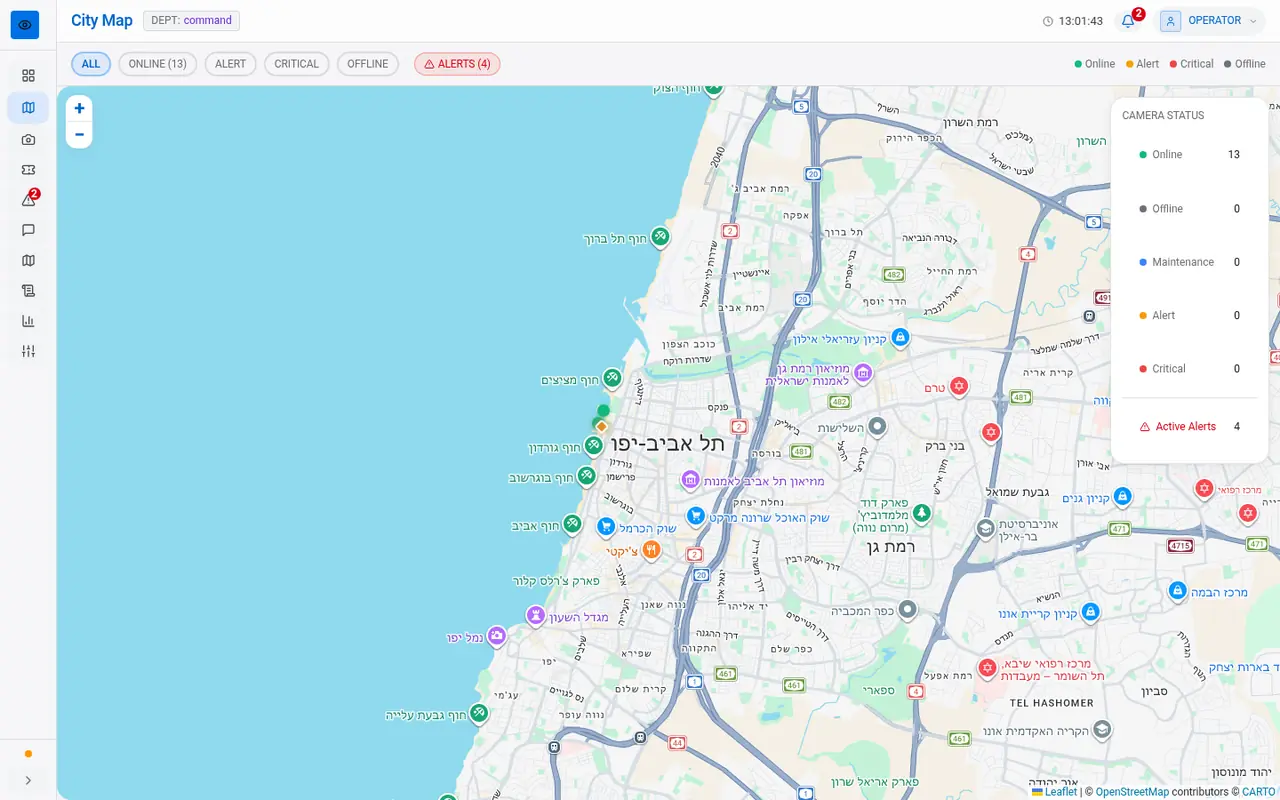
Capabilities
Everything a modern control room needs.
Monitor
Spot what matters on every camera.
People, vehicle and object alerts
Counts, types and what people carry.
Fire and smoke
Early visual warning, day and night.
Loitering
Time-in-zone rules for sensitive areas.
Tamper detection
Blocked, moved or blurred cameras.
Camera health alerts
Know when a camera goes offline or its picture freezes, before you need the footage.
Respond
Get the right person moving.
Rule-based alerts
Severity, categories, recipients and channels.
Escalation chains
If nobody acknowledges an alert, it moves to the next person, step by step.
Real or false alarm
One tap marks an alert real or false, and InsightCam learns from it.
Push notifications
Alerts on your phone or computer through the browser, even when the app is closed.
Investigate
Find out what happened.
Smart search
Search across all your cameras in plain words, like "red car near the gate yesterday", and get matching snapshots.
Ask the camera
Ask any camera a question in plain language and get an answer about what it sees right now.
Maps and floor plans
See every camera and incident in place.
Evidence and reports
Frames from the alert, share links that expire, and a PDF incident report.
Audit log
A record of who did what, and when.
Insights
See how your spaces are used.
Counts and queues
People and vehicles crossing lines you draw, with alerts when a queue gets too long.
Heatmaps and dwell time
Where people spend time, by hour and by area.
Compatibility
Works with the cameras you already have.
Connect most IP cameras and recorders that support RTSP or ONVIF. Nothing to rip out or replace.
- Axis
- Hikvision
- Dahua
- Hanwha
- Bosch
- Uniview
- and most other RTSP or ONVIF cameras
RTSP and ONVIF
Standard protocols that almost every IP camera and recorder supports.
On its own
Use InsightCam as the main view of every camera on your site.
Alongside your NVR or VMS
Keep recording where you record today. InsightCam adds smart alerts on top.
Brand names are trademarks of their owners and are listed for compatibility only.
How it connects
Secure by design. No ports to open.
- Your camerasIP cameras and recorders on your private network.
- On-site connectorA small connector on your network. Outbound-only and encrypted.
- InsightCam cloudAI analysis, rules, alerts and evidence.
- Your teamDashboard, email, Slack, Teams, webhook and push.
Use cases
Made for places that cannot look away.
Municipalities
Traffic, public safety, infrastructure and cleanliness across the city.
Learn moreEmbassies and government sites
Perimeter, entrance and unattended-object monitoring with strict data control.
Learn moreCampuses
Universities, hospitals and corporate campuses with many buildings and gates.
Learn moreRetail
Loss prevention, queue and crowd insight, after-hours intrusion.
Learn moreWarehouses and logistics
Safety gear, blocked exits, dock doors and after-hours intrusion.
Learn moreHospitality
Check-in queues, event-hall occupancy, unattended bags and after-hours pool access.
Learn moreHealthcare
Possible falls, waiting-room crowding, blocked exits and doors left open.
Learn more
Security and privacy
Your video stays yours.
On-site connector
Cameras stay on your private network. The connector only makes outbound, encrypted connections, with no ports to open.
Less data, by design
No continuous video is sent to the cloud. Only what matters is kept.
Role-based access
Admins, operators and viewers, each with the right level of access.
Encryption
TLS in transit and encrypted storage at rest.
Frequently asked questions
Do I need new cameras?
No. InsightCam works with your existing IP cameras, NVRs and video streams (RTSP, ONVIF or HTTP snapshot URLs).
Which cameras work?
Most IP cameras and recorders that support RTSP or ONVIF, including Axis, Hikvision, Dahua, Hanwha, Bosch and Uniview. You can use it on its own or alongside your current recorder.
Does it run inside my network?
InsightCam runs in the cloud. A small connector on your network reaches the cameras privately and connects out over an encrypted connection, so no inbound ports need to be opened. If you need a fully on-premises installation, talk to us.
Is Hebrew supported?
Yes. The full interface, alerts and AI descriptions work in Hebrew and English.
Do you use facial recognition?
No. InsightCam detects people, vehicles, objects and events. It does not identify who someone is.
Where are images kept, and for how long?
Camera images and analysis results are kept according to your retention setting, 30 days by default. Continuous video is not sent to the cloud.
About
Made in Israel by Offpista Ltd.
InsightCam is built by Offpista Ltd, an Israeli company. We make AI tools that help security and operations teams see what matters on the cameras they already have.
Become a partner
Installers, integrators and resellers are welcome. Email us and we will get back to you.
Email us about partneringOffpista Ltd · Israel
Put AI on the cameras you already own.
Create your account, connect a camera and see live insights in minutes.
Make my cameras smartQuestions? Email hello@insightcam.si · Book a demo